Free · works with open-source and commercial sensors
Know what’s happening in your hive without opening it.
HiveControl charts each hive’s weight, temperature and activity, tells you about swarms, robbing and honey flows, and keeps your inspections, mite counts and treatments in one place.
No hardware needed to start. Already have an account? Sign in.
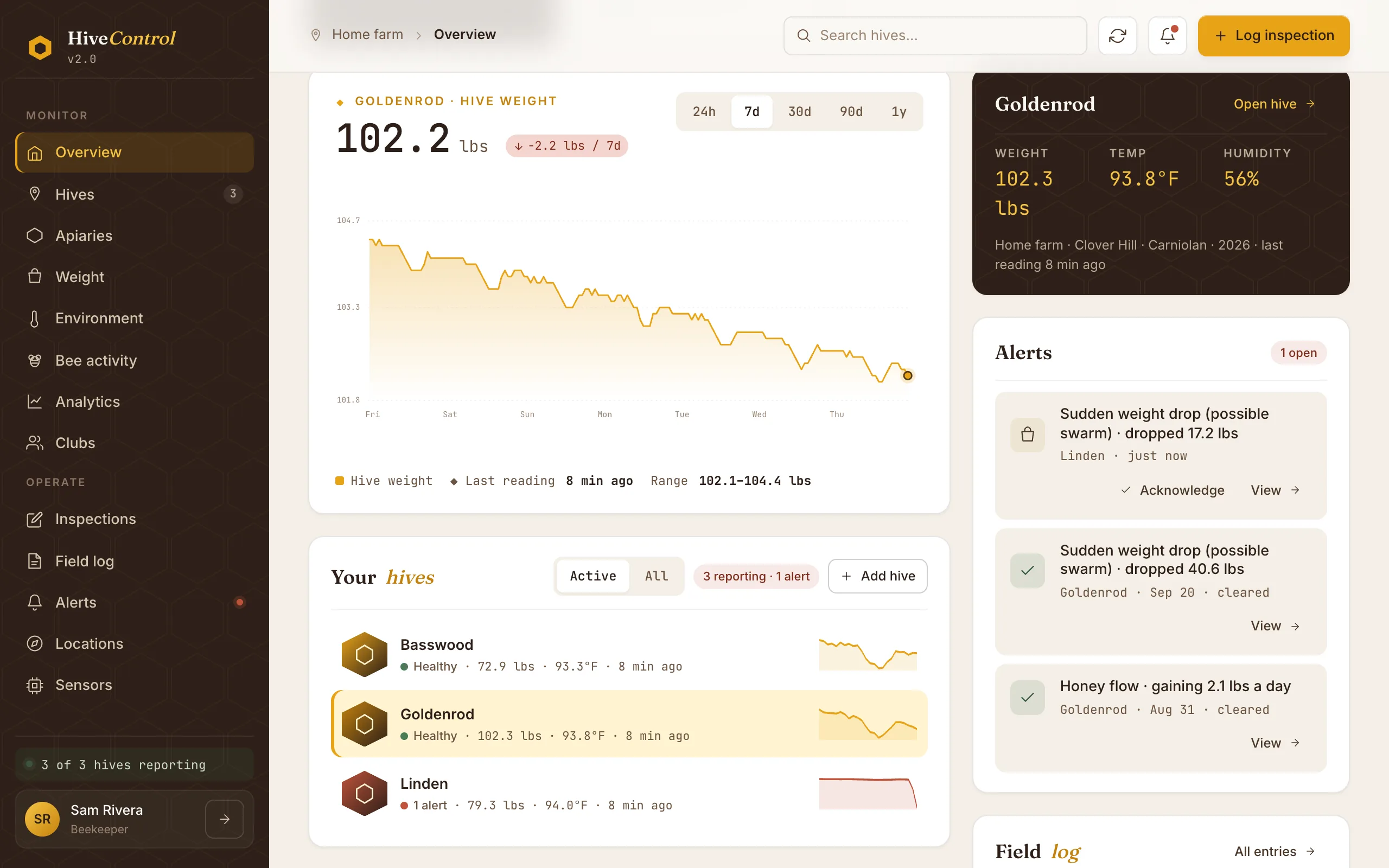
Everything a beekeeper tracks, in one place
See inside the hive without opening it
Weight, brood temperature, humidity, light and bee traffic from every hive, charted by the hour, day, week or season.
Alerts that know a beekeeper was there
Get told about a swarm, robbing, a honey flow, a hive that stopped reporting, or mites over your threshold.
Hive records that keep themselves tidy
Inspections, mite tests, treatments, feedings, harvests, equipment changes and queens, on one timeline per hive.
The weather your bees are flying in
Weather and air quality at every apiary, next to what the hives are doing.
Every yard on one map
Group hives into apiaries, see them on a map, and move a hive between yards without losing its history.
Bee clubs
Invite your club, share the hives you choose, and compare colonies across members.
Alerts
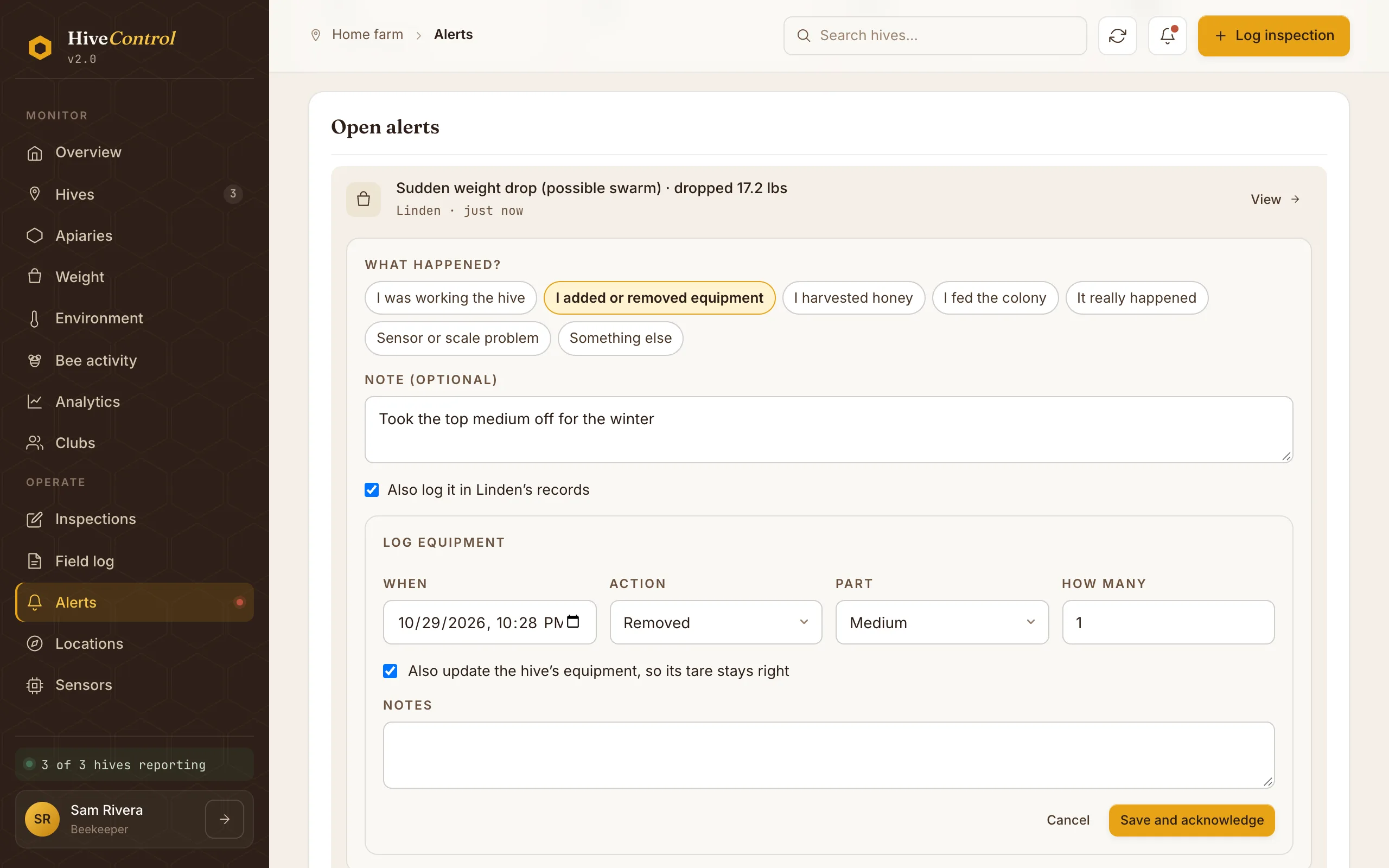
An alert that knows you took a box off
Pull a full honey super and the scale drops 50 pounds. Most monitors would call that a swarm. HiveControl ignores weight changes right after an inspection or a record you log, and when an alert does fire you can close it with what really happened and log the change in the same step.
- Swarm, robbing and honey-flow alerts from the scale
- Mite counts over your threshold and overdue mite checks
- Hives that stop reporting, readings out of range, bad air
Hive records
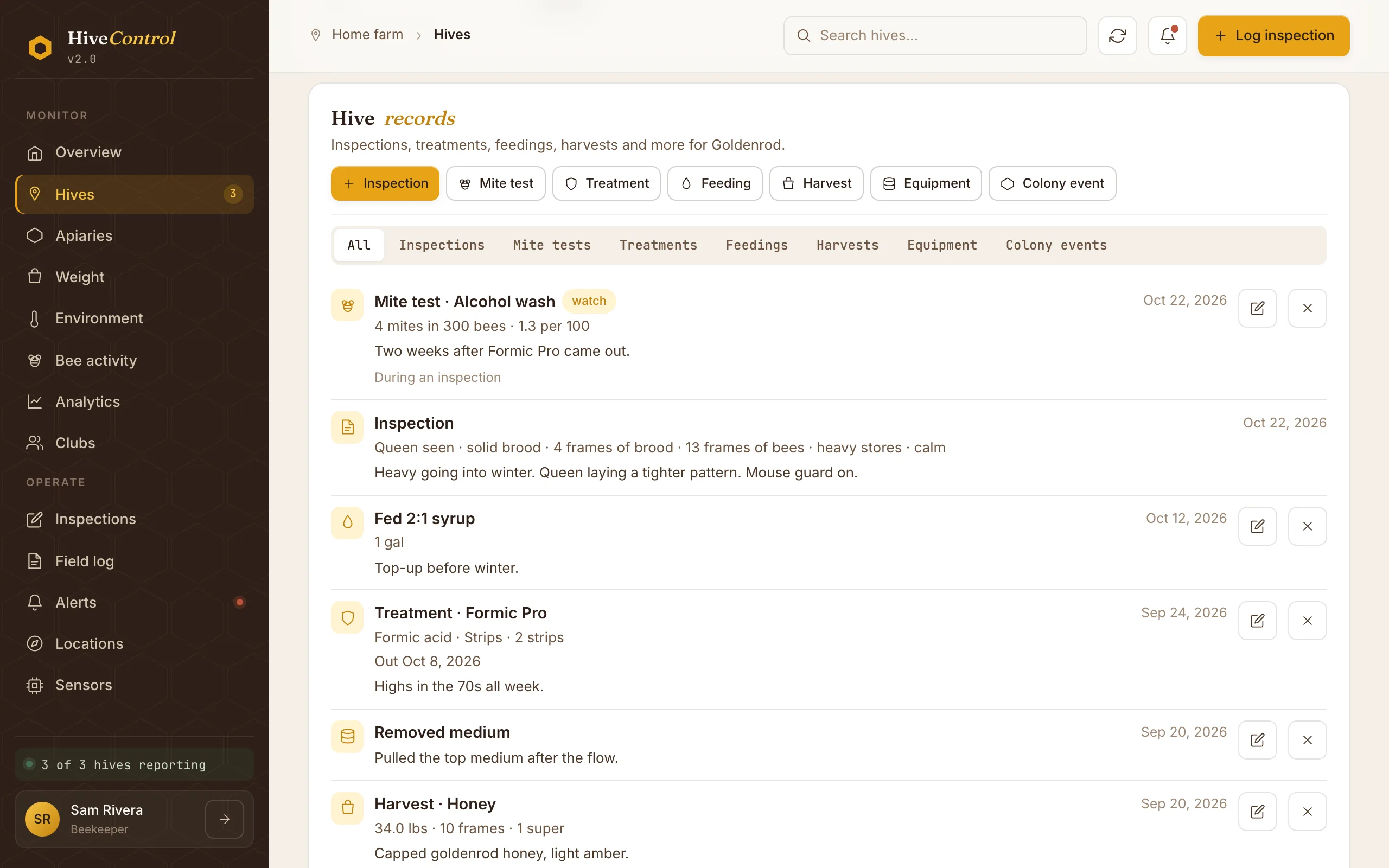
The hive’s whole story on one timeline
Inspections, mite tests, treatments, feedings, harvests, equipment and queens, each on the hive’s timeline and marked on its charts, so you can see what the bees did after you treated, fed or added a super.
- Mite counts worked out per 100 bees
- A printable treatment log with products, doses and dates
- Queen history and a summary of each season
Use the hardware that suits you
Build your own
A Raspberry Pi, a load cell scale and a temperature sensor, running the open-source HiveDevice software. One install command and a step-by-step guide.
Add commercial sensors
HiveControl works with products such as BroodMinder scales and sensors and the WeatherFlow Tempest weather station. The HiveDevice software reads them and sends their readings in.
How it works
Create a free account
Add your apiaries and hives. You can keep records and get inspection and mite reminders straight away, with no hardware.
Connect a monitor
Build one on a Raspberry Pi with the open-source HiveDevice software, and add commercial sensors such as BroodMinder.
Watch, get alerts, keep records
Readings arrive every few minutes. HiveControl charts them, raises alerts, and keeps your hive's history in one place.
HiveControl for iPhone
Talk through an inspection and have it written up for you, or follow a guided inspection frame by frame. Until it’s out, the website works on your phone.
Building your own hardware or software?
Send readings to HiveControl from your own device, script or weather station with a device token and a few HTTP requests.
Questions
What does HiveControl cost?
Nothing. HiveControl is free to use, and the HiveDevice software that runs on your hive is open source.
Do I need any hardware?
No. Without a monitor you can still keep inspections, treatments, feedings, harvests and queen records, get reminders for inspections and mite checks, and join a club. A monitor adds weight, temperature and the alerts that come from them.
What hardware can I use?
Build your own on a Raspberry Pi with the open-source HiveDevice software and common sensors (an HX711 scale, SHT31 or BME280 temperature sensors and more), and add commercial products we work with, such as BroodMinder sensors and the WeatherFlow Tempest weather station, which the HiveDevice software reads for you.
How hard is it to build a monitor?
If you can image an SD card, you can do it. The HiveDevice installer is one command and the step-by-step guide covers setting up the Pi. The hard part is usually building a stable platform for the scale.
Start keeping better records today
Free, with or without hardware. Add your hives in a few minutes and connect a monitor whenever you're ready.